invideo AI: AI Video Generator
- 3.9
- Rating
- 5.00M
- Installs
- Free
- Price

 Analysis by App-foxy
I came away from invideo AI: AI Video Generator feeling that it is most useful when I treat it as a fast video-planning partner rather than a complete replacement for an editor. It can help turn a rough idea into something watchable, which is valuable when I need a social clip, a quick explainer, or a first draft and do not want to begin with a blank timeline. At the same time, the app still asks me to review its choices carefully. The result can be convenient, but convenience is not the same as creative control.
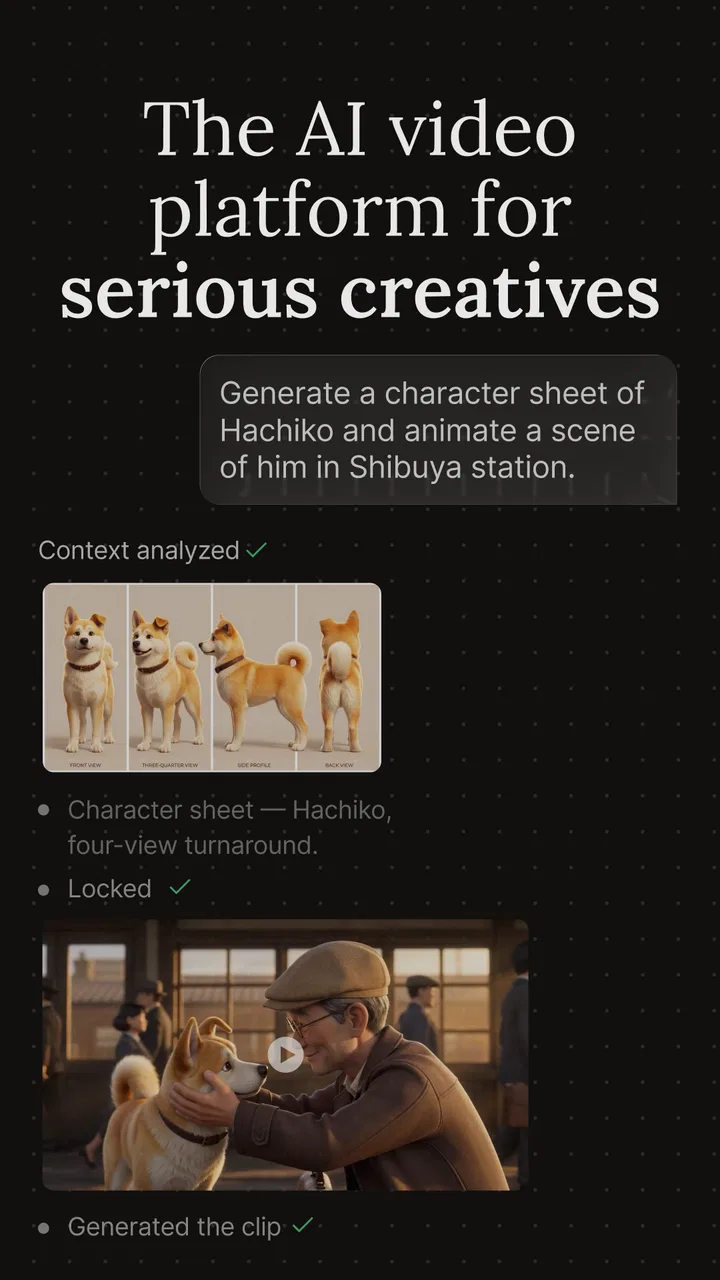
This is a free app in the video players and editors category, developed by invideo INC. Its central appeal is AI-assisted video creation: I describe what I want, then work from the generated starting point instead of assembling every element manually. That makes the experience approachable for someone who understands the message they want to share but does not yet feel comfortable with traditional editing software.
How invideo AI feels in everyday use
The first thing I noticed is that the app changes the order of work. With a conventional editor, I usually gather clips, choose a format, trim footage, arrange a sequence, add text, and finally think about whether the story makes sense. Here, the story comes first. I can begin with a subject, an audience, and a rough tone, then use the generated draft as a visual outline.
You May Also Like

 Blood Strike: 2.5 Anniversary
Blood Strike’s Loadouts Turn Every Drop Into a Tactical Gamble
A close look at Blood Strike’s custom loadouts: how fast access to signature weapons reshapes its battle royale rhythm, rewards preparation, and narrows the gap between fights.

 Pandora - Music & Podcasts
Pandora’s Music Is Easy to Start, but Harder to Recover
Pandora’s strength is its low-effort path from a seed to a station. Its weak spot is how much confidence it asks you to place in connection, setup, and quiet recovery.

 8 Ball Pool
 Is Built on Rivalries, Rematches, and Routine
A close look at the rivalries, rematches, shared routines, and unanswered safety questions that turn a quick pool match into a persistent mobile community.

 Samsung Music
’s Quiet Strength Is Playing What You Already Own
Its reach comes less from spectacle than from dependable access to a personal library. That simplicity is both the app’s strongest retention engine and its ceiling.

 AccuWeather: Weather Radar
AccuWeather Review: A Quick, Clear Forecast for Everyday Decisions
For everyday plans, the best forecast is the one you can understand quickly. AccuWeather makes rain timing, radar, and local conditions easy to act on, with a few trade-offs.

 Hill Climb Racing
Why Hill Climb Racing Still Turns Crashes Into One More Run
A tiny car, a bumpy hill and one more upgrade: Hill Climb Racing keeps resurfacing because its simple chaos makes every near-miss feel personal.
More From Our News Desk



That approach is especially helpful for short-form content. Imagine I run a small bakery and want a simple video about a weekend special. Instead of opening a blank project and wondering how to structure it, I can start with the offer, the intended viewers, and the mood I want. The draft gives me a sequence to inspect. I can then replace anything that feels too generic, tighten the wording, and make sure the final message reflects the bakery rather than an imaginary brand.
The strongest part of the experience is the reduction of first-draft friction. I do not have to solve every creative decision at once. The app gives me something to react to, and reacting is often easier than inventing a complete edit from nothing. For a creator who regularly postpones videos because the process feels complicated, that can make a real difference.
It is also a practical option for people who need several versions of an idea. A teacher might need a short lesson introduction, a local shop might want a product announcement, and a freelancer might be preparing a concept for a client. In each case, the first generated version is not necessarily the finished work, but it can expose missing information quickly. If the tone is wrong or the message is too broad, I can identify that before spending a long time polishing details.
Where the AI saves time, and where I still need to think
AI generation is most convincing when the request has a clear purpose. Vague prompts tend to produce vague results, so I get better drafts when I specify the audience, the intended platform, the main point, and the feeling I want the viewer to have. I also find it useful to describe what should be avoided. A request for a calm, practical announcement is more useful than simply asking for an attractive video.
One useful workflow is to separate the job into two passes. In the first pass, I ask for a basic structure and judge only whether the sequence makes sense. In the second, I refine the language and visual direction. This prevents me from wasting time correcting small details before I know whether the overall idea works. It also makes the app feel less like a magic button and more like a quick creative collaborator.
A less obvious benefit is that the generated draft can reveal how much context my original idea was missing. If the visuals feel interchangeable, that is often a sign that the prompt needs concrete details: the location, the customer problem, the product’s distinguishing point, or the action I want viewers to take. In that way, the app can improve my briefing habits even when the first result is not ready to publish.
However, I would not hand over responsibility for accuracy. AI-generated wording can sound confident while missing an important qualification or simplifying a subject too much. For educational, financial, health-related, or business content, I would check every claim and rewrite anything that could mislead. The app helps with presentation, but I remain responsible for the message.
A closer look at editing control
Once I have a draft, the important question is whether I can make it feel like my own. This is where expectations matter. Someone looking for a traditional, highly precise editor may prefer a tool built around a detailed timeline and manual control. invideo AI is more attractive when the priority is moving from an idea to a coherent draft quickly.
I would use it for a first version of a narrated explainer, a promotional concept, a social announcement, or a simple story assembled around a clear message. I would be more cautious about using it as the only tool for a music video, a carefully timed comedy edit, or a project where every cut must match a specific beat. Those jobs depend heavily on exact timing and personal visual judgement, so a manual editor may be the better choice.
The app also works best when I accept that revision is part of the process. The first output may have a usable structure but still need changes to pacing, emphasis, or visual relevance. I would not judge it solely by the initial generation. The real value is the time saved in getting to a workable draft, not the promise that every draft will be publication-ready.
The practical trade-off behind the free download
The app is free to download, which makes it easy to try without committing money at the start. It is rated Teen, and the current version is 4.4.28, with support beginning at iOS 11. Those details make it accessible to a broad range of users, although the actual usefulness depends more on how often someone creates videos and how much refinement they expect.
There are in-app purchases ranging from $9.99 to $3,000.00 per item. That is a wide span, so I would pay close attention to the purchase screen before treating the app as a long-term production tool. A casual user may only want to experiment with a few ideas, while a professional or business user may be considering a much larger commitment. The right decision depends on the amount of content I need and how much control the paid options provide for my particular workflow.
I also would not confuse a high install count with a guarantee that the app will suit me. It has more than five million installs, an average rating of 4.2 from around 130,000 ratings, and roughly 2,900 written reviews. Those figures suggest a substantial audience and a generally positive reception, but my own test should focus on whether the generated drafts match my style, whether revision feels comfortable, and whether the cost makes sense for my use.
Meaningful limitations I would not ignore
The biggest weakness is the gap between speed and specificity. AI can produce a polished-looking direction quickly, but polished does not automatically mean distinctive. If I accept the first result without adding personal details, the video may feel like a template assembled for a broad audience. That is fine for a quick internal draft, but less convincing when I am trying to build a recognizable voice.
Another point of friction is review time. The app may save me from constructing the entire video manually, yet I still need to inspect the wording, sequence, and relevance of the visuals. For a short project, that review may be easy. For a more important project with several revisions, the checking process can become substantial. The time saved at the beginning can be partly spent making the result accurate and personal.
There is also a creative trade-off in starting from an automated interpretation. When I edit manually, I make deliberate decisions from the first cut. With AI, the initial structure can influence me before I have explored other possibilities. I sometimes find myself improving the draft it gave me instead of asking whether a completely different concept would be stronger. For brainstorming, I would deliberately generate or sketch more than one direction before settling on a final approach.
People who already enjoy advanced editing may find the app less satisfying. If I want detailed control over every frame, a conventional editor can be clearer and more predictable. The AI approach is not automatically faster once I have to fight the generated structure or repeatedly correct choices that I would have made differently myself.
Who should use it, and who should choose another route?
I think it is a strong fit for beginners who have a message but lack editing confidence. It is also useful for small teams that need quick drafts before deciding which idea deserves a full production. A social media manager preparing several concepts, a teacher introducing a topic, or a solo business owner making an announcement can all benefit from beginning with an organized draft.
It suits people who value momentum. If the hardest part of video creation is starting, the AI-first workflow can remove that obstacle. I would recommend trying it when the goal is to communicate clearly and quickly rather than demonstrate elaborate editing technique.
I would skip it as my main tool if my work depends on strict brand consistency, frame-perfect timing, or a highly personal visual language. In those cases, I would rather use a traditional editor or combine this app with one: generate a concept here, then complete the detailed edit elsewhere. That hybrid approach preserves the speed of an AI draft without giving up the final control that a serious project may need.
Before creating anything important, I would prepare the source material and the wording I know must remain exact. I would also decide the audience and purpose first, then treat the generated result as a proposal. This small change in mindset prevents disappointment. I am not asking the app to understand my entire creative intention instantly; I am using it to turn a defined brief into something I can evaluate.
My final recommendation
After using it as an AI video-making workspace, I see invideo AI as a useful accelerator with clear boundaries. It is better at helping me begin, structure, and iterate than at replacing thoughtful editing. The strongest results come when I provide specific direction and then take time to correct the details that matter.
For a beginner, occasional creator, educator, small business owner, or social content planner, I think it is worth trying because the free entry point makes experimentation straightforward. For an experienced editor, its value is more specialized: it can be a rapid idea generator or rough-cut assistant, but probably not the only tool in the workflow.
My verdict is positive but measured. Use it when speed and a workable first draft matter more than total manual control. If you are willing to review the wording, personalize the visuals, and make deliberate final decisions, the app can turn a vague idea into a useful video much faster. If you expect one prompt to deliver a perfectly distinctive and fully finished production, you will likely find its limits sooner than its strengths.
FAQs for invideo AI: AI Video Generator
01What platforms is InVideo AI available on?
InVideo AI is available on both Android and iOS platforms, making it accessible to a wide range of users. This cross-platform compatibility ensures that whether you’re using a smartphone or tablet, you can easily download and use the app to create stunning videos with AI-powered tools.
02What features does InVideo AI offer for video creation?
InVideo AI provides a comprehensive suite of features for video creation, including AI-driven editing, customizable templates, text-to-video conversion, and voice-over capabilities. These tools are designed to streamline the video creation process, allowing users to produce professional-quality videos with minimal effort and time.
03Is InVideo AI suitable for beginners?
Yes, InVideo AI is designed to be user-friendly and accessible for beginners. With its intuitive interface and step-by-step guides, new users can easily navigate the app and utilize its features without requiring extensive video editing knowledge. The AI tools also simplify complex editing tasks.
04Are there any costs associated with using InVideo AI?
InVideo AI offers both free and premium versions. The free version includes essential features for basic video editing, while the premium subscription unlocks advanced features, additional templates, and enhanced editing capabilities. Users should review the pricing plans to determine which option best suits their needs.
05How does InVideo AI ensure the security of user data?
InVideo AI prioritizes user data security by implementing robust encryption protocols and privacy measures. This includes secure storage of video projects and personal information. Users can rest assured that their data is protected while using the app, adhering to industry standards for digital safety.
Pros
- Intuitive interface for easy use.
- Wide range of templates available.
- AI-driven tools enhance creativity.
- Quick rendering of videos.
- Supports multiple languages.
Cons
- Limited free version features.
- Occasional AI-generated errors.
- Requires internet connection.
- Subscription can be pricey.
- Some features are device-dependent.

invideo AI: AI Video Generator
Gallery